
Anúncios
Modern navigation has become effortless thanks to GPS technology, transforming how we discover and reach destinations worldwide with remarkable precision and ease.
Anúncios
Gone are the days of folding paper maps on your dashboard or stopping at gas stations to ask for directions.


The Global Positioning System has revolutionized address finding, making it accessible to anyone with a smartphone or GPS device.
Anúncios
Whether you’re exploring a new city, visiting a friend’s home, or navigating to a business meeting, GPS technology provides real-time guidance with impressive accuracy.
Understanding how to effectively use GPS for finding addresses can save you time, reduce stress, and help you navigate confidently through unfamiliar territories.
This comprehensive guide will walk you through everything you need to know about maximizing your GPS experience for address navigation. 🗺️
Understanding GPS Technology and How It Works
GPS relies on a network of satellites orbiting Earth, continuously transmitting signals to receivers on the ground. Your device calculates its exact position by measuring the time these signals take to arrive from multiple satellites. This triangulation process happens within seconds, pinpointing your location with remarkable accuracy.
The system was originally developed by the U.S. Department of Defense for military purposes but became available for civilian use in the 1980s. Today, GPS technology has evolved into an indispensable tool for everyday navigation, integrated into smartphones, car systems, and dedicated navigation devices.
Modern GPS systems can determine your location within 5 to 10 meters under optimal conditions. When combined with assisted GPS (A-GPS) technology that uses cellular networks, accuracy improves even further, especially in urban environments where satellite signals might be partially obstructed.
Choosing the Right GPS Navigation App 📱
Several excellent GPS applications are available, each with unique features and strengths. Google Maps remains the most popular choice worldwide, offering comprehensive mapping data, real-time traffic updates, and detailed business information. Its interface is intuitive, making it easy for users of all experience levels to find addresses quickly.
Waze stands out for its community-driven approach, where users report accidents, police presence, road hazards, and traffic conditions. This crowdsourced information provides dynamic routing that adapts to real-time road situations, potentially saving you significant travel time.
Apple Maps has improved dramatically since its rocky launch, now offering excellent navigation for iOS users with seamless integration into the Apple ecosystem. It features clean visuals, privacy-focused design, and increasingly accurate data.
For offline navigation, apps like Maps.ME and OsmAnd allow you to download entire regions for use without internet connectivity. This feature proves invaluable when traveling internationally or in areas with poor cellular coverage.
Step-by-Step Guide to Finding Addresses with GPS
Finding an address using GPS involves a straightforward process that becomes second nature with practice. Start by opening your preferred navigation app and ensuring location services are enabled on your device. Most apps will automatically detect your current position as the starting point.
Entering the Destination Address
Tap the search bar and begin typing the complete address. Most GPS apps use predictive text, suggesting addresses as you type. Include as much detail as possible: street number, street name, city, and postal code. The more specific your input, the more accurate your results will be.
Many apps now support voice input, allowing you to speak the address instead of typing. This hands-free option is particularly useful when driving, though it’s always safest to set your destination before starting your journey.
Verifying the Location
Before starting navigation, always verify that the pin or marker on the map appears in the correct location. Check the address details displayed and examine the surrounding area using satellite view or street view features. This verification step prevents navigating to the wrong location, which can happen if addresses are duplicated in different neighborhoods.

Starting Your Navigation Journey
Once you’ve confirmed the destination, tap the “Start” or “Directions” button. The app will calculate the optimal route based on current traffic conditions, distance, and your selected transportation mode (driving, walking, cycling, or public transit). Review the suggested routes, as apps typically offer alternatives with estimated travel times.
During navigation, your GPS app provides turn-by-turn voice guidance, visual indicators, and lane assistance. Keep your device mounted securely where you can glance at it safely without obstructing your view of the road.
Advanced Features That Enhance Address Finding ✨
Modern GPS applications offer features beyond basic address navigation that can significantly improve your experience. Understanding these capabilities helps you navigate more efficiently and confidently.
Real-Time Traffic Updates
Traffic information represents one of the most valuable GPS features. Apps analyze data from millions of users to identify congestion, accidents, and road closures. When delays are detected on your route, the app automatically suggests alternatives to save time. This dynamic routing adjusts continuously throughout your journey.
Street View and Imagery
Street view functionality allows you to virtually “walk” to your destination before physically traveling there. This preview helps you recognize landmarks, identify parking areas, and understand the building’s appearance. It’s particularly helpful for finding entrances to large complexes or determining which side of the street contains your destination.
Saved Places and Favorites
Most GPS apps let you save frequently visited addresses with custom labels like “Home,” “Work,” or “Mom’s House.” This feature eliminates repetitive address entry and enables one-tap navigation to important locations. You can also save lists of places for trips, creating collections of restaurants, attractions, or hotels you plan to visit.
Troubleshooting Common GPS Navigation Issues 🔧
Even with advanced technology, GPS navigation occasionally encounters problems. Knowing how to address these issues ensures smooth navigation experiences.
Poor GPS Signal or Accuracy
GPS signals can be affected by tall buildings, dense forests, tunnels, or bad weather. If your location appears inaccurate, ensure location services are enabled with “High Accuracy” mode activated. This mode combines GPS, Wi-Fi, and cellular networks for improved positioning. Moving to an open area can also help your device acquire better satellite signals.
Outdated Maps and Incorrect Addresses
Mapping data requires regular updates as roads change, businesses move, and new developments emerge. Keep your GPS app updated to access the latest map information. If you encounter an incorrect address or missing location, most apps allow users to suggest edits, contributing to improved accuracy for everyone.
Battery Drain Concerns
GPS navigation consumes significant battery power due to continuous screen usage, data connectivity, and location tracking. To extend battery life during long trips, reduce screen brightness, close unnecessary background apps, and consider using a car charger or power bank. Some apps offer battery-saving modes that reduce animation and background processes.
Using GPS for Different Transportation Modes 🚗🚶♀️🚴
GPS navigation adapts to various transportation methods, each requiring different considerations and route preferences.
Driving Navigation
When driving, GPS provides lane guidance, speed limit information, and warnings about speed cameras or sharp turns. Apps calculate routes based on factors like highway preference, toll road avoidance, and fastest versus shortest path options. Voice guidance allows you to keep your eyes on the road while receiving clear directions.
Walking Directions
Pedestrian navigation includes shortcuts through parks, pedestrian-only paths, and stairways that vehicles can’t use. Walking directions often provide more direct routes and help you discover areas that aren’t accessible by car. This mode is perfect for urban exploration and finding addresses in downtown areas with complex street layouts.
Cycling Routes
Bicycle navigation prioritizes bike lanes, quieter streets, and paths with less traffic. GPS apps designed for cycling consider elevation changes, helping you avoid steep hills when desired or seek them out for a challenging workout. This specialized routing makes cycling navigation safer and more enjoyable.
Privacy and Data Considerations When Using GPS 🔒
GPS navigation requires location data, raising important privacy considerations. Reputable apps typically collect location information to provide services and improve mapping accuracy, but understanding how your data is used empowers informed decisions.
Most navigation apps offer settings to control location sharing. You can choose to share your location only while using the app rather than continuously in the background. Review privacy settings regularly and disable unnecessary permissions to maintain control over your information.
Consider the differences between various apps regarding data handling. Some platforms prioritize user privacy more than others, collecting minimal data and storing information locally on your device rather than in cloud servers.
Tips for Maximizing GPS Navigation Accuracy 🎯
Achieving optimal GPS performance requires attention to several factors beyond simply opening an app and entering an address.
Maintain clear view of the sky when possible, as GPS signals come from satellites overhead. Phone cases with metal components can sometimes interfere with signal reception, so consider removing thick cases if you experience persistent accuracy issues.
Calibrate your device’s compass regularly by moving it in a figure-eight pattern. This calibration ensures that directional indicators point accurately, preventing confusion about which way to turn.
Enable Wi-Fi even when not connected to a network, as this helps with location accuracy through Wi-Fi positioning systems that triangulate your position based on nearby networks.
International Address Finding with GPS 🌍
Using GPS abroad presents unique challenges, from different address formats to data connectivity concerns. Many countries structure addresses differently than you might be accustomed to, with some placing street names before numbers or using district-based systems rather than street addresses.
Download offline maps before traveling internationally to avoid expensive roaming charges and ensure navigation capability without internet access. Offline maps typically include basic navigation features and points of interest, though real-time traffic information requires connectivity.
Learn basic address terminology in the local language, as GPS apps may display street names and locations in the native language. Understanding terms like “street,” “avenue,” “road,” and “plaza” in the local tongue helps you recognize landmarks and confirm you’re heading to the correct location.
Integrating GPS with Smart Home and Vehicle Systems 🏠
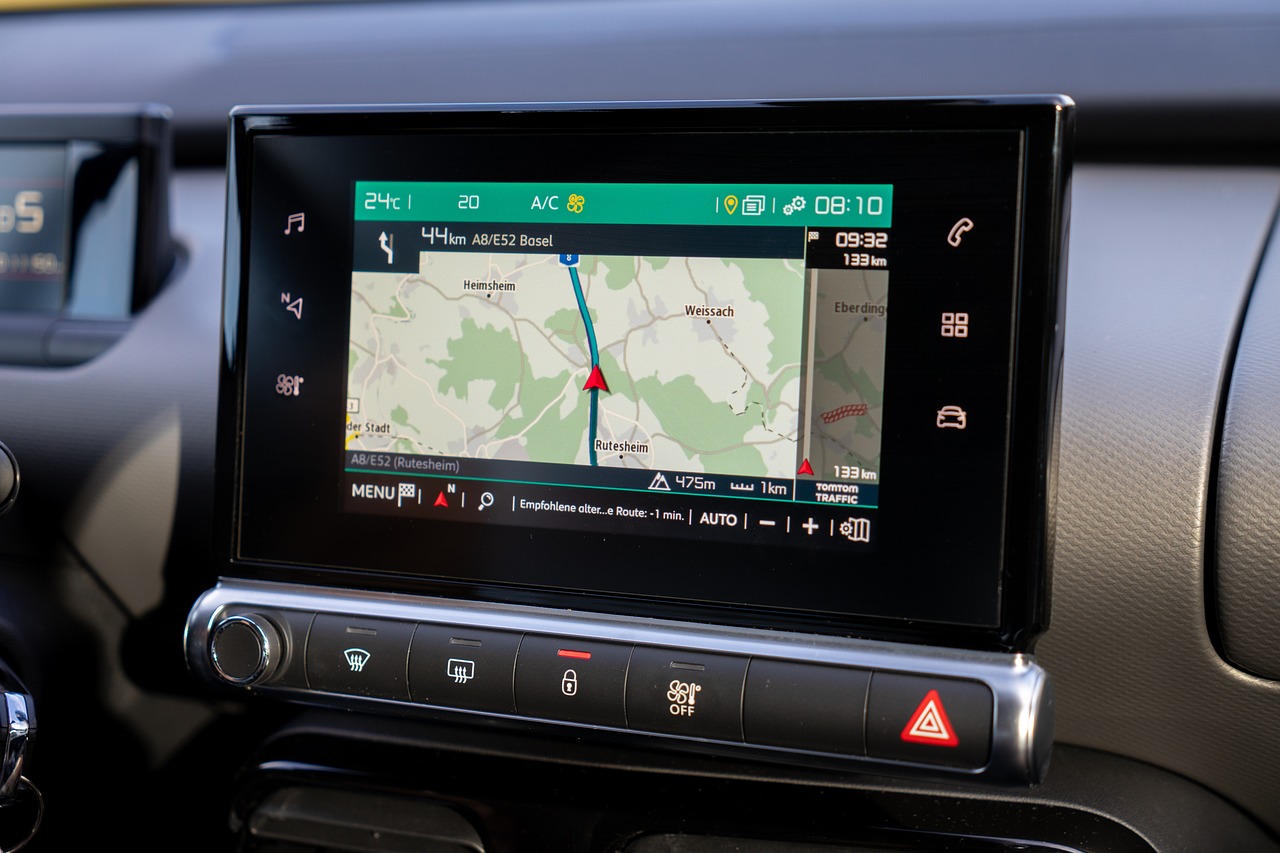
Modern GPS navigation extends beyond standalone apps, integrating seamlessly with smart home devices and vehicle infotainment systems. You can send destinations from your phone to your car’s built-in navigation system, allowing larger displays and integrated controls.
Voice assistants like Google Assistant, Siri, and Alexa can initiate navigation through simple voice commands. Saying “Navigate to 123 Main Street” while your hands are full exemplifies the convenience of this integration, launching turn-by-turn directions immediately.
Smart home integration allows you to prepare destinations before leaving. While getting ready at home, you can research addresses, save them to your app, and even receive notifications about optimal departure times based on current traffic conditions to arrive punctually.
The Future of GPS Address Finding Technology 🚀
GPS navigation continues evolving with emerging technologies promising even more impressive capabilities. Augmented reality navigation overlays directional arrows and information directly onto real-world views through your phone’s camera, making it nearly impossible to take wrong turns in complex intersections or parking structures.
Artificial intelligence increasingly powers route optimization, learning your preferences over time and suggesting personalized routes based on your driving habits, preferred roads, and typical travel times. These smart systems predict your destination based on patterns, automatically suggesting navigation before you even enter an address.
Indoor positioning systems are developing to extend GPS-like navigation inside buildings, shopping malls, airports, and parking garages where traditional satellite signals can’t reach. These systems will help you find specific stores, gates, or parking spots with the same ease as navigating outdoor streets.
Making GPS Navigation a Seamless Part of Your Life 💫
Mastering GPS address finding transforms from a technical skill into an intuitive habit with regular use. Start by navigating to familiar locations to build confidence with your chosen app’s interface and features. Experiment with different settings, transportation modes, and route options to discover which configurations work best for your needs.
Create a system for organizing saved locations into meaningful categories. Group restaurants by cuisine type, save parking locations near frequently visited destinations, or maintain lists of recommendations from friends. This organizational approach makes your GPS app a comprehensive directory of places important to you.
Share your location with family members when appropriate for safety and coordination. Many apps allow temporary location sharing, letting loved ones track your arrival without permanently broadcasting your whereabouts.
GPS technology has democratized navigation, making it possible for anyone to confidently explore new places and find unfamiliar addresses with ease. By understanding how to effectively use these powerful tools, you unlock freedom to venture beyond familiar territories, discover hidden gems, and arrive at destinations stress-free. Whether you’re running daily errands or embarking on grand adventures, GPS navigation serves as your reliable companion, guiding you precisely where you need to go, every single time.
